

Overview
Streaming television through IPTV is becoming very common in 2026. Instead of using traditional cable services, many people now use IPTV players to watch live channels, movies, and series.One application that is growing in popularity among Apple users is SNPlayer IPTV Player. This app is designed to play IPTV playlists smoothly on iPhone and iPad devices.
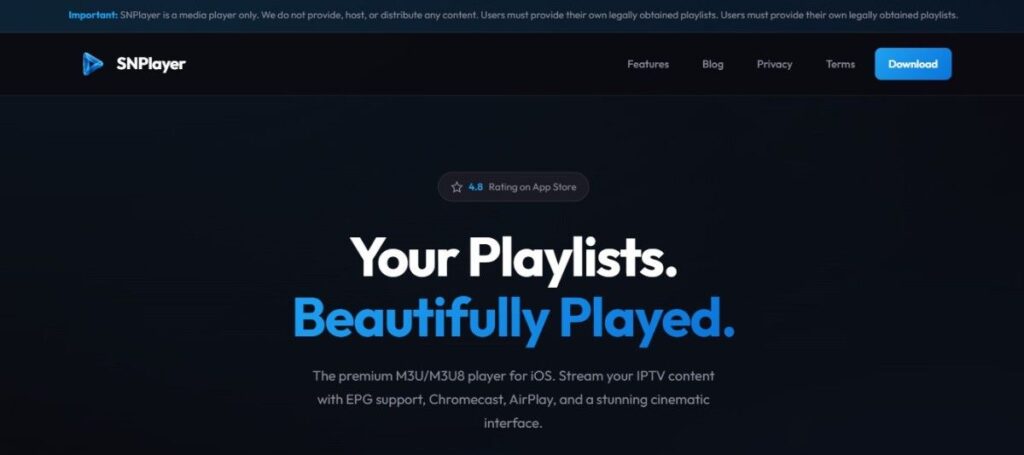
SNPlayer is not an IPTV provider. It does not offer TV channels or streaming services. The app works as a media player that allows users to load their own M3U or M3U8 playlists.With its clean interface and powerful playback system, SNPlayer makes IPTV streaming simple and enjoyable.
What is SNPlayer IPTV Player?
SNPlayer IPTV Player is an IPTV streaming application developed mainly for Apple devices. It allows users to watch IPTV channels by importing their own playlists.The player supports common IPTV formats such as M3U and M3U8, which are widely used by IPTV services.
Instead of hosting content, SNPlayer focuses only on video playback and user experience. After adding a playlist, the app automatically organizes channels, movies, and series.Another important aspect of the app is privacy. SNPlayer does not require registration and does not collect personal data. Everything is stored locally on the device.
Features
Here are some key features of SNPlayer IPTV Player:
- Import playlists using M3U or M3U8 links
- Easy playlist setup through URL or file upload
- Smooth live TV streaming
- Support for HD, Full HD, and 4K videos
- Built-in EPG TV guide
- Movies and series support (VOD)
- Chromecast streaming to smart TVs
- Apple AirPlay support
- Picture-in-Picture mode
- Save favorite channels
- Watch history and resume playback
- Parental control with PIN lock
- Multiple audio tracks and subtitle support
- Hardware-accelerated playback for better performance
- Modern and easy-to-use interface
Pros & Cons
| Pros | Cons |
|---|---|
| Clean and user-friendly interface | Available only for iOS devices |
| Supports M3U playlists | Does not provide IPTV channels |
| Smooth streaming performance | Requires external playlist |
| Chromecast and AirPlay support | Some advanced features are premium |
| Strong privacy protection | No Android version |
Pricing
| Plan | Price |
|---|---|
| Free Version | Free |
| Premium Upgrade | USD 4.99 |
| Lifetime Access | USD 9.99 |
The free version includes basic streaming features. The premium version unlocks additional tools and better playback options.
Installation Guide
Setting up SNPlayer IPTV Player is quick and easy.
Follow these steps:
- Open the App Store on your iPhone or iPad.
- Search for SNPlayer IPTV Player.
- Tap the Install button.
- Wait until the app downloads.
- Open the application.
- Add your M3U playlist link or file.
- Start watching IPTV channels.
The setup process usually takes less than a few minutes.
Which Device Support SNPlayer?
SNPlayer is built mainly for Apple products.
Supported devices include:
- iPhone
- iPad
- Apple TV
- iOS devices running newer versions of the system
- CarPlay compatible systems
Because the app is optimized for Apple devices, it provides smooth playback performance.
Free Trial
- SNPlayer provides a free version that allows users to try the app before upgrading.
- The free IPTV version supports playlist streaming and basic IPTV playback. Users who want extra features can upgrade to the premium plan.
Payment Method
Premium upgrades are handled through the Apple App Store.
Common payment methods include:
- Credit cards
- Debit cards
- Apple Pay
- Apple ID balance
- App Store gift cards
Payments are processed securely through Apple.
Customer Service
SNPlayer provides support for users through its official website and support channels. Users can contact the team for help with installation or technical issues.
Most common questions are answered through their help section.
Customer Support
The app also provides useful support resources such as:
- Email assistance
- FAQ pages
- Setup guides
- IPTV tutorials
These resources help users understand how to configure playlists and use the app properly.
Best Alternatives
If you want to explore other IPTV players, here are some good options.
- VLC Media Player
- IPTV Smarters Player
- GSE Smart IPTV
- TiviMate
- IBO Player
Conclusion
SNPlayer IPTV Player is a reliable IPTV player designed specifically for Apple devices. It offers a clean design, smooth playback, and helpful features like EPG support and casting options.Because the app does not collect user data, it is also a good choice for privacy-focused users.
However, it is important to remember that SNPlayer does not provide IPTV channels. Users must add their own playlists to watch content.For iPhone and iPad users who want a simple IPTV streaming player, SNPlayer is definitely worth considering.
FAQs
Is SNPlayer IPTV Player free?
Yes, the app offers a free version with basic streaming features.
Does SNPlayer provide IPTV channels?
No. Users must add their own IPTV playlists.
Which playlist formats are supported?
SNPlayer supports M3U and M3U8 playlist formats.
Is SNPlayer safe to use?
Yes, the app focuses on privacy and does not collect personal data.
Can SNPlayer work on Android devices?
No, the app is currently available only for iOS devices.

