
Overview
Hostinger is a budget-friendly yet high-performance web hosting provider trusted by millions of users worldwide. In 2026, it continues to stand out by offering fast loading speeds, AI-powered website tools, WordPress optimization, and global server coverage at very low prices. Whether you want to start a blog, business site, or online store, Hostinger makes the process simple and affordable.
What is Hostinger?
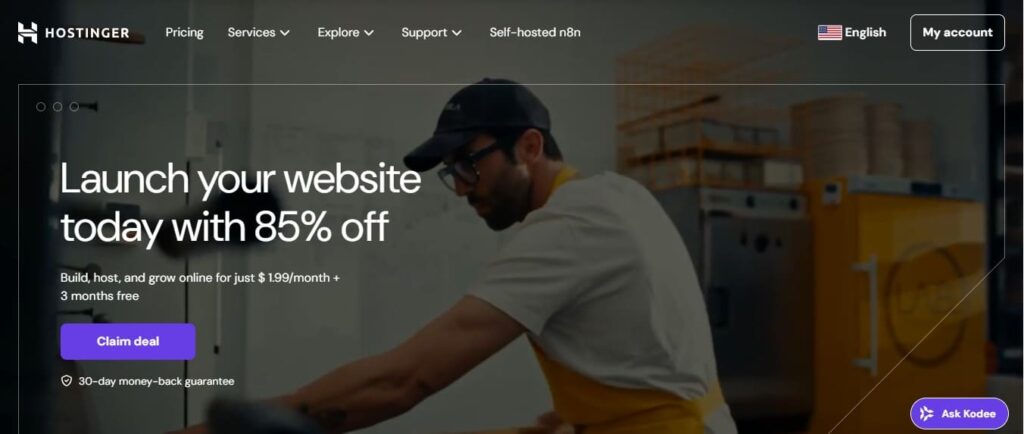
Hostinger is a global web hosting company founded in 2004. It offers shared hosting, WordPress hosting, cloud hosting, domain registration, business email, and an AI website builder. Hostinger is popular for its custom control panel (hPanel), free SSL, free domain for one year, and 24/7 live chat support. It is designed for beginners and professionals who want reliable hosting without technical complexity.
Hostinger Review 2026
Hostinger has grown into one of the most recommended hosting providers thanks to its combination of price, performance, and ease of use. With data centers across multiple continents and modern technologies like LiteSpeed and NVMe SSD storage, Hostinger delivers excellent uptime and speed for websites of all sizes.
Pros & Cons
| Pros | Cons |
|---|---|
| Very low introductory pricing | Higher renewal rates |
| Fast LiteSpeed servers with NVMe storage | No phone support |
| Free domain and SSL | Limited storage on basic plan |
| AI Website Builder & WordPress tools | Daily backups on higher plans |
| Easy-to-use hPanel | Advanced features cost more |
| Global server locations |
Pricing Table
| Plan | Price | Websites | Storage | Best For | |
|---|---|---|---|---|---|
| Premium | $1.99/mo | 3 | 20 GB SSD | 2/site | Blogs & starters |
| Business | $2.99/mo | 50 | 50 GB NVMe | 5/site | Small businesses |
| Cloud Startup | $6.99/mo | 100 | 100 GB NVMe | 10/site | High traffic sites |
All plans include free SSL, a free domain for one year, AI tools, and a 30-day money-back guarantee.
Features
- AI Website Builder to create sites quickly
- WordPress auto-install and optimization
- LiteSpeed web server for high speed
- NVMe SSD storage
- Free CDN integration
- Free professional email accounts
- Free SSL certificate
- Weekly or daily backups
- Free website migration
- hPanel control dashboard
- DDoS protection and security tools
How to Set Up Your Website on Hostinger (Step-by-Step Guide)
- Choose a hosting plan on Hostinger.
- Register your free domain name.
- Log into your hPanel dashboard.
- Click Create Website.
- Select AI Website Builder or WordPress.
- Choose a design or let AI create one.
- Customize text and images.
- Click Publish to go live.
You can launch a website in less than 10 minutes.
Performance
Hostinger delivers 99.9% uptime with powerful infrastructure. LiteSpeed technology, server caching, and NVMe storage ensure websites perform smoothly even during traffic spikes. Business and Cloud plans are especially good for handling large visitor volumes
Speed
Speed tests show Hostinger websites often load in under one second. LiteSpeed servers are faster than traditional Apache servers, improving SEO rankings and user experience.
Hostinger Server Locations
Hostinger data centers are located in:
- United States
- United Kingdom
- Netherlands
- Lithuania
- Singapore
- India
- Brazil
You can choose the nearest server for better speed.
Hostinger vs Bluehost – Comparison
| Feature | Hostinger | Bluehost |
|---|---|---|
| Starting Price | $1.99/mo | $2.95/mo |
| Storage | NVMe SSD | SSD |
| Free Domain | Yes | Yes |
| AI Website Builder | Yes | No |
| Backups | Included | Paid add-on |
| Control Panel | hPanel | cPanel |
| Speed Tech | LiteSpeed | Apache |
| Support | Live Chat | Chat & Phone |
Verdict: Hostinger provides better value, speed, and modern tools.
Customer Support
| Support Feature | Availability |
|---|---|
| 24/7 Live Chat | Yes |
| Email Support | Yes |
| Phone Support | No |
| AI Assistant (Kodee) | Yes |
| Knowledge Base | Extensive |
| Tutorials | Yes |
Hostinger’s live chat is fast and helpful, and the tutorials make it easy for beginners to solve issues quickly.
Conclusion
Hostinger is one of the best hosting providers in 2026 for users who want affordable pricing, fast performance, and easy website setup. With AI tools, WordPress optimization, free domain and SSL, and global server coverage, Hostinger is an excellent choice for beginners and growing businesses.
Best IPTV 2026 – Watch thousands of live TV channels, movies, sports, and VOD in HD, FHD, and 4K Ultra HD. Enjoy fast, reliable streaming, premium channels, EPG guides, and support for Smart TVs, smartphones, tablets, and PCs.
FAQs
Is Hostinger good for beginners?
Yes, it is very beginner-friendly with AI tools and hPanel.
Does Hostinger offer a free domain?
Yes, for the first year on most plans.
Is Hostinger fast for WordPress sites?
Yes, thanks to LiteSpeed and NVMe storage.
Can I upgrade my plan later?
Yes, upgrades are easy anytime.
Is there a refund policy?
Yes, a 30-day money-back guarantee.
